
Download CommaFeed – Free, Secure RSS Feed Reader for Windows, Mac, Android & iOS
Overview
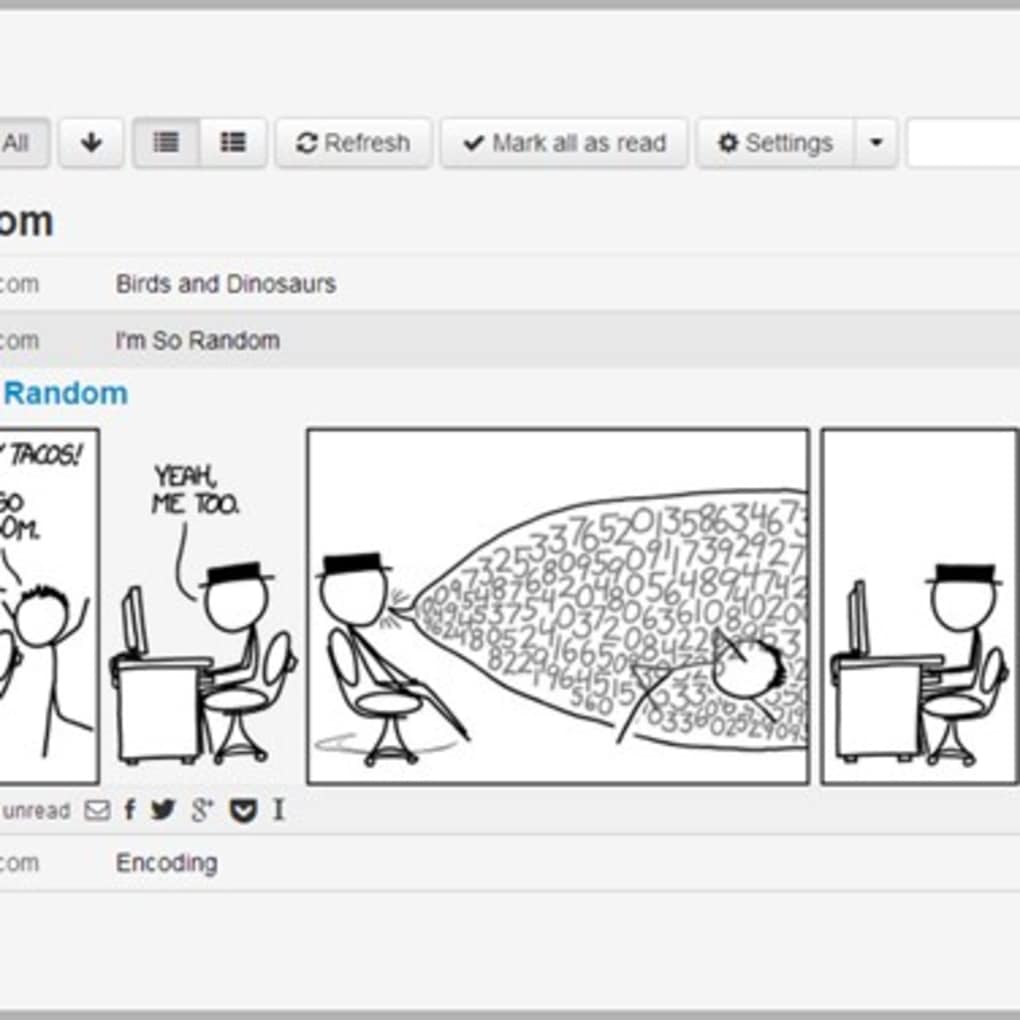
CommaFeed is a free, web‑based RSS feed reader that revives the simplicity and speed that many users missed after Google Reader shut down. Built on modern Java technologies and hosted on RedHat’s OpenShift platform, the service offers both a ready‑to‑use online version and an open‑source codebase that you can download and run on your own server. The interface mirrors the familiar layout of Google Reader, complete with keyboard shortcuts, tag‑based organization, and a clean two‑column design that keeps your reading experience uncluttered.
Whether you are a casual news‑hunter or a power user who follows dozens of blogs, podcasts, and news sites, CommaFeed lets you import feeds manually via OPML or automatically by subscribing to new URLs. A robust search bar helps you locate specific articles, while filtering options let you mark items as read, unread, or starred for later reference. Social sharing buttons integrate seamlessly with Facebook, Twitter, and Google+, making it easy to broadcast interesting articles to your network.
For developers, the platform supports CSS and HTML customization, so you can tailor the look and feel to match your personal brand or corporate style. The combination of a free tier, open‑source flexibility, and a user‑friendly design makes CommaFeed a compelling alternative for anyone seeking a secure, ad‑free RSS reader that works across devices.
Key Features
- Web‑Based Access: Use CommaFeed from any modern browser without installing additional software.
- Open‑Source Hosting: Download the source code and self‑host on OpenShift, Docker, or any Linux server.
- Google Reader‑Style UI: Familiar two‑column layout, keyboard shortcuts, and tag management.
- OPML Import/Export: Seamlessly migrate existing subscriptions or back up your feed list.
- Advanced Filtering: Mark items as read, unread, starred, or hidden; sort by date or title.
- Full‑Text Search: Quickly locate articles across all subscribed feeds.
- Social Sharing: Share articles directly to Facebook, Twitter, and Google+ with one click.
- Customizable Appearance: Apply your own CSS/HTML to change colors, fonts, and layout.
- Responsive Design: Optimized for desktops, tablets, and smartphones.
- Demo Mode: Test the platform with a limited‑feature demo before creating an account.
Installation & Usage
Getting Started with the Hosted Service
To begin using CommaFeed instantly, navigate to commafeed.com and click “Sign Up”. The registration process is quick—just an email address and password. Once logged in, you can start adding feeds by pasting URLs into the “Add Subscription” box or importing an OPML file containing all your existing subscriptions.
The dashboard presents a list of your feeds on the left and the latest articles on the right. Use the “All Items” view to see every article, or click individual feed names to filter. Keyboard shortcuts such as j/k for navigation and m to toggle read/unread status accelerate your reading workflow.
Self‑Hosting on Your Own Server
For users who prefer full control, the open‑source repository is available on GitHub. Clone the project, then follow the included README.md for deployment instructions. The application runs on Java 8+ and requires a PostgreSQL or MySQL database. Deploy to RedHat OpenShift with a single git push, or containerize using Docker with the provided Dockerfile. After the server is up, access the web interface at your domain, create an admin account, and import your feeds just as you would with the hosted version.
Compatibility
CommaFeed works on any operating system that supports a modern web browser—Windows, macOS, Linux, Android, and iOS. Because the service is web‑based, there is no need for native apps, and the responsive layout ensures a smooth experience on smartphones and tablets.
Pros & Cons
Pros
- Free to use with no hidden ads.
- Open‑source code gives you full control over data privacy.
- Familiar Google Reader UI reduces the learning curve.
- Robust search and filtering keep large feed collections manageable.
- Responsive design works on all major devices.
Cons
- No official native mobile apps (relies on browser).
- Advanced customization requires knowledge of CSS/HTML.
- Demo mode disables some premium features like multi‑user support.
- Self‑hosting setup can be technical for non‑developers.
- Social sharing limited to three platforms.
FAQ & Conclusion
Is CommaFeed truly free, or are there hidden costs?
CommaFeed offers a completely free tier for both the hosted service and the open‑source version. There are no subscription fees, ads, or data‑selling practices. If you choose to self‑host, you only pay for your server or cloud resources.
Can I import my existing Google Reader subscriptions?
Yes. Export your Google Reader OPML file, then use the “Import OPML” function in CommaFeed to bring all your feeds into the new reader instantly.
How secure is my data when I use the hosted version?
CommaFeed uses HTTPS for all communications, and the source code is publicly audited on GitHub. Your feed list and read/unread states are stored securely on the server, and you can delete your account at any time.
Do I need technical skills to self‑host?
Basic knowledge of Git, Java, and a relational database is required. The project includes Docker and OpenShift scripts that simplify deployment for users familiar with containerization.
Is there a way to sync read status across multiple devices?
Yes. Because all data is stored on the server (hosted or self‑hosted), your read/unread status, starred items, and custom tags are automatically synchronized whenever you log in from another device.
Conclusion – Why You Should Download CommaFeed Today
If you’re looking for a secure, ad‑free, and highly customizable RSS reader, CommaFeed checks every box. Its free tier eliminates cost barriers, while the open‑source nature guarantees transparency and control over your data. The familiar Google Reader layout shortens the onboarding period, and the responsive design ensures a consistent experience on Windows, macOS, Android, and iOS devices.
Whether you opt for the hassle‑free hosted service or decide to run your own instance for maximum privacy, the feature set—from OPML import to full‑text search and social sharing—covers all the essentials modern readers expect. Don’t let your favorite blogs and news sources get lost in a cluttered inbox; streamline your information flow with CommaFeed. Download now and start curating your content the way you want.



.png)



